I can’t believe I’m saying this, but I love Grok Bot
I finally tried Grok Bot, connected it to my personal Gmail, and here’s why I’m not canceling.
By Mollie Amkraut Mueller · · 5 min read
I’m back from maternity leave!
I’m still digging into everything that piled up while I was out, and my full thoughts on the AI maternity mode experiment are coming soon. In the meantime, here is what I’ve been playing with.
I’ve avoided using Elon Musk’s AI products until now.
Partly because I didn’t need another AI tool. I was perfectly happy with the front-runners I was already using. And partly because, honestly, the Elon of it all has felt increasingly icky.
Then, a few weeks ago, several AI people whose judgment I trust started raving about a new product called Grok Bot.
My curiosity got the better of me.
And not only did I decide to try it, I signed up for a plan that cost more than $200 a month* before I had even properly demoed the thing.
This felt objectively ridiculous. I already pay that much for other AI tools. But I figured I could experiment for a month and cancel.
Reader, I am not canceling.
What's more, three weeks into using Grok Bot, I found myself doing something I have not yet been willing to do with ChatGPT, Claude, or Codex:
I gave it access to my personal Gmail.
This probably doesn’t sound momentous to most people. Plenty of people already connect their AI tools to their personal email.
But I’ve had this Gmail account for decades. Who knows what random stuff is lurking in there from eras when I was substantially more naive about security. So while I’ve connected my work email to various AI tools, I’ve deliberately kept them out of my personal inbox.
Grok Bot was helpful enough that I finally crossed that threshold.
Here’s why.
First, what is Grok Bot?
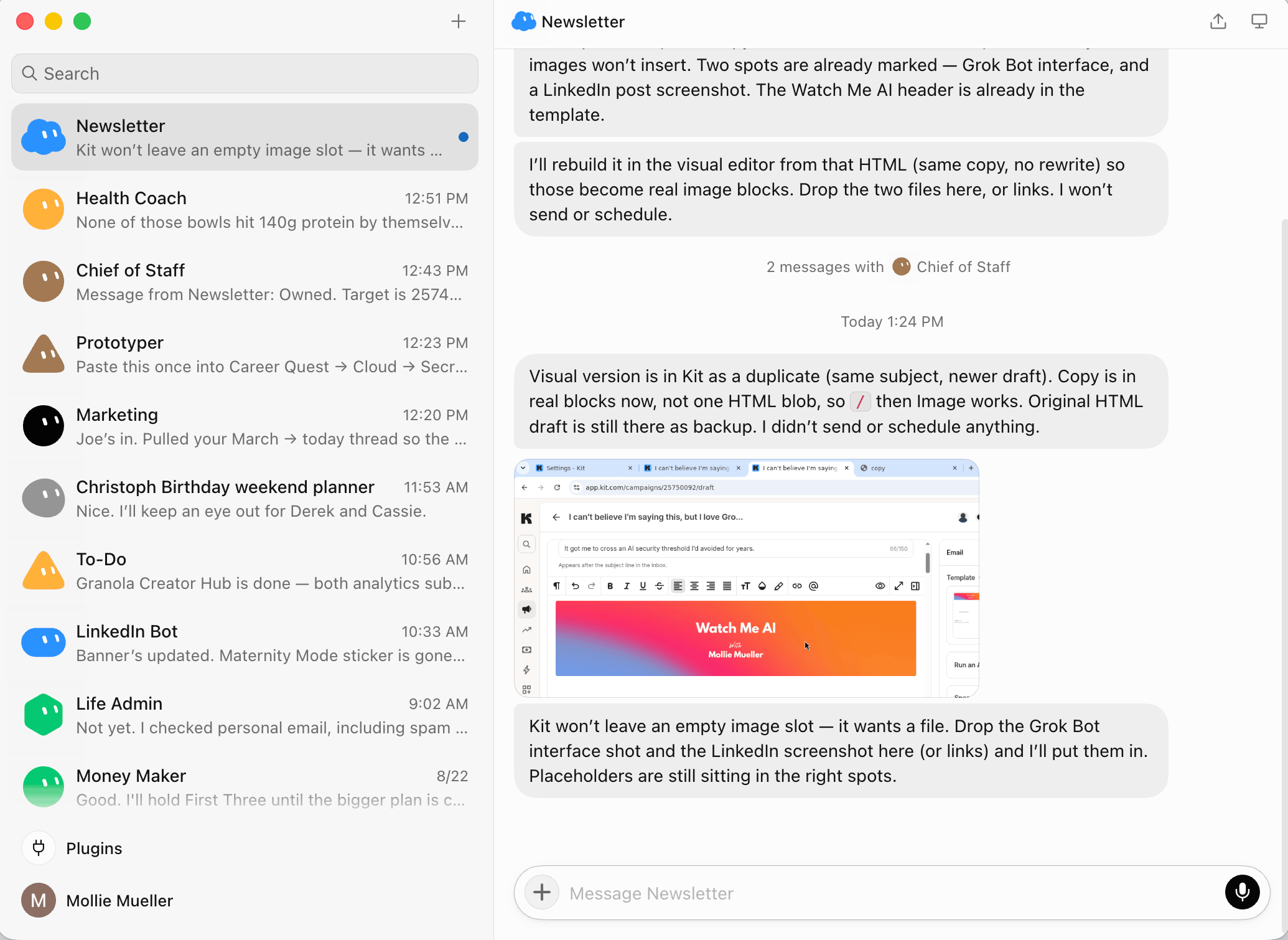
Grok Bot is an incredibly easy, intuitive way to set up AI agents that can actually do things for you.
The Bots have access to a computer where they can sign into the websites and tools you already use. You give them ongoing roles, like Chief of Staff, Life Admin, or LinkedIn Bot, and then hand them real work.
In theory, this isn’t totally new.
In practice, this is the first version I’ve used that feels like it was designed for normal people.
There’s no elaborate agent-building process. I have several different Bots working for me, but most of the time I just tell my Chief of Staff what I need. It figures out which Bot should handle it, brings other Bots into the conversation, or suggests creating a new one.
And then they go do the thing.
My first experiment was LinkedIn.
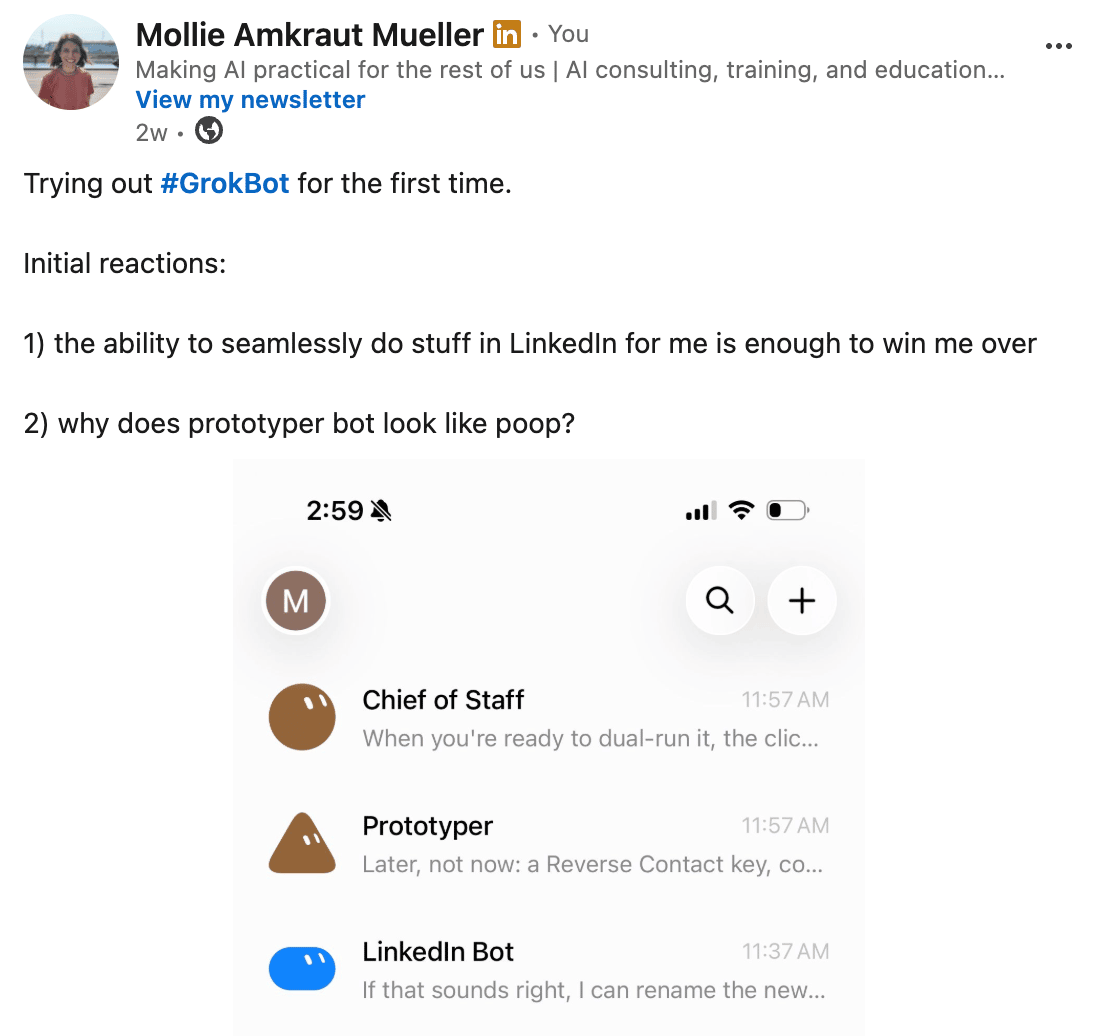
The LinkedIn access alone was enough to win me over.
LinkedIn has historically been difficult for AI agents to work inside. You could create elaborate workflows or bring in third-party tools, but it wasn’t easy to simply let an AI assistant use LinkedIn for you.
Grok Bot can.
It signs into my account on its own computer, so it can work inside LinkedIn without taking over my browser or interfering with what I’m doing.
So far, it has:
- Sorted through the LinkedIn messages that accumulated during my maternity leave
- Found interesting posts for me to engage with
- Helped me stay on top of messages and conversations
- Seamlessly swapped my profile banner back to my old one when I asked it to remove the “Maternity Mode” language
I will say that it’s not the best writer. Yet.
I’m not asking it to write my posts or do much copywriting. But it’s extremely good at finding things, organizing them, taking simple actions, and making sure opportunities don’t disappear into the LinkedIn abyss.
And LinkedIn is just one of the places I’m using it.
I’ve also handed it a lot of life admin
I’m planning an upcoming event and wanted to order personalized swag.
I told Grok Bot what I wanted. It researched vendors, compared the options, found the right one, and gathered the specifications.
It also tried to generate the artwork. The artwork wasn’t as good as ChatGPT’s, so ChatGPT still gets that trophy.
But once I had the finished art, Grok Bot pulled everything together and sent the vendor a flawless email with the artwork, quantities, product details, and specifications needed for a quote.
It did not show me a draft first. It just sent the email.
I wasn’t entirely expecting that and had a brief oh! moment. Then I read what it had sent.
The email was excellent. It had all the right information, was clear and professional, and sounded completely appropriate coming from me. Asking me to review it first would only have slowed us down.
Now it’s monitoring my inbox for the response so the process doesn’t stall while I forget about it.
It has also:
- Found toddler weekend sports classes that fit my criteria and is ready to register my daughter once I decide
- Renewed my residential parking permits through the online application
- Researched local tennis instructors and emailed three of them about availability and rates
- Realized none of those instructors fit the bill, found more options, and continued managing the process
And more. I’ve only been using this thing for three weeks.
Why does it feel so different?
The not-very-sophisticated answer is: it just works.
I don’t have to build a workflow every time I want it to do something. I don’t have to stop and think about which specialized agent should receive the assignment. I don’t have to move between five tools, copy information from one to another, or manually complete the final step after the AI tells me what I should do.
I tell my Chief of Staff what I need. It coordinates with the other Bots. They work inside the actual websites involved. Then they come back when they need a decision or approval from me.
The interface is extremely intuitive. It’s easy to use from my phone. And because it can operate websites directly, it can reach parts of my life that my other AI tools still can’t.
Most importantly, it finishes things.
That is a surprisingly meaningful leap from an AI assistant that gives you advice, drafts something, or explains the steps you should take.
Should you try it?
Maybe.
The good news is that you no longer need to make the slightly unhinged $200-plus commitment I made. Grok Bot is now included with lower-priced SuperGrok and Cursor plans, although the usage limits vary.
But I also don’t think everyone needs to rush out, add another AI subscription, and hand Elon Musk the keys to their Gmail.
I would be shocked if the features I love most weren’t added to ChatGPT, Claude, and other leading AI products very soon.
AI is moving so quickly that I can barely recommend my own setup before it changes again.
But if you’re curious enough to experiment, Grok Bot offers a very clear preview of where AI agents are headed.
For years, people in AI have talked about agents that can work independently, use tools, coordinate with one another, and complete projects on our behalf.
Grok Bot makes that feel easy, intuitive, and even fun.
It’s a huge step forward in making agents accessible to us “normies.”
Which is apparently all it took to get an Elon product inside my decades-old Gmail account.
I can’t believe it either.
Note on pricing: While writing this newsletter, I learned that I paid what can only be described as the early-adopter tax. When Grok Bot launched, access was limited to a handful of expensive premium plans. Fifteen days later, xAI expanded it to much cheaper plans. Great news for you. Mildly offensive news for me. Currently having GrokBot downgrade its own plan :).
One more thing: AI Arts & Crafts is happening
I’m hosting the first AI Arts & Crafts session, and you’re invited.
Wednesday, September 16, 12:30 to 1:30pm Pacific, online. A casual hour where we use AI to make a project together from scratch. No technical or artistic skills required, just curiosity and a laptop.
Details and sign-up are at molliemueller.com/events.
See you there,
Mollie