It's time to switch to Claude
After two months as a Claude-first user, following more than two years on ChatGPT, I explain why I switched and how to move your context in 10 minutes.
By Mollie Amkraut Mueller · · 5 min read
It's time to switch to Claude
If you've been reading this newsletter for a while, you know I've usually avoided telling people which general AI tool to use. My advice has always been: pick one of the leaders (ChatGPT, Claude, Gemini) and go deep. The memory you build up, the context it learns about you, the workflows you develop, that's where the real value is. Not the tool itself.
I'm changing that advice today.
It's time to switch to Claude.
I've been using Claude as my primary AI tool for two months now, after being a ChatGPT-first user for 24+ months. The gap has been consistent enough, for long enough, that I'm now comfortable recommending Claude directly.
Caveat: This is the AI world. ChatGPT could launch a new model tomorrow that changes the math. That has happened before and it will happen again. But two months is a long time in AI, and Claude has been meaningfully better for my work the entire stretch.
Why switch?
The short version: Claude is a better writer, it has stronger integrations with the tools I already use, and it can do full tasks for me, not just answer questions. The overall quality of what I get back is noticeably higher, and it has been for months.
But rather than just tell you why, let me show you what I'm actually doing with it, and how to easily make the switch.
What I'm actually doing with Claude
To give you a sense of what "switched to Claude" looks like in practice, here's how it shows up in my week right now.
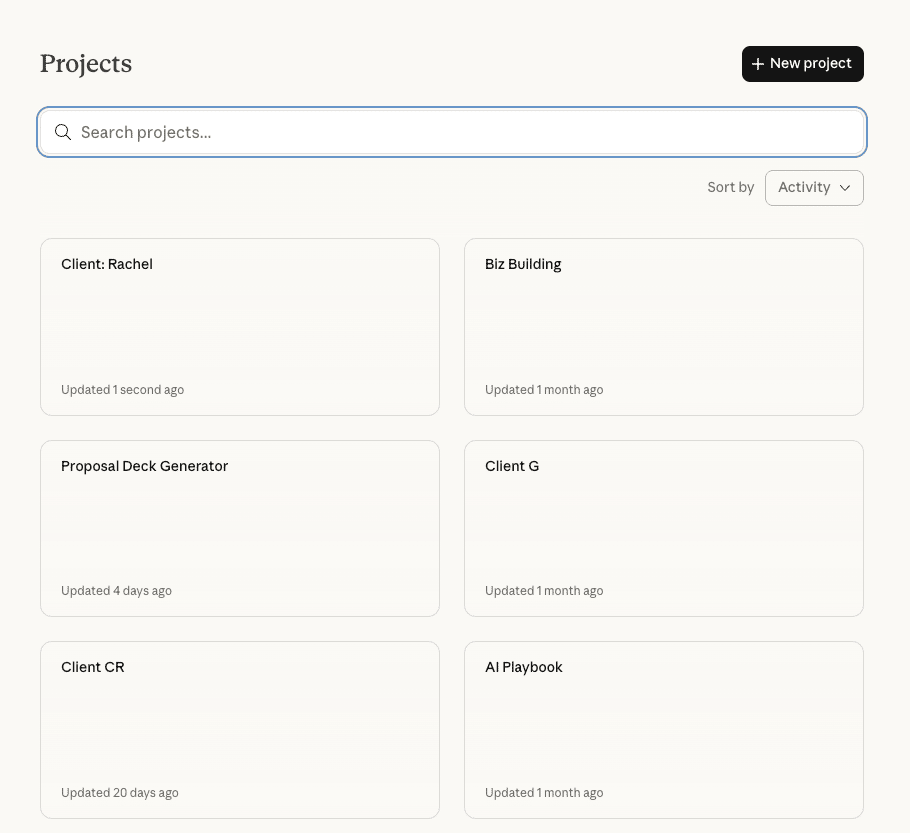
Projects are my operating system.
I have a Project set up for every client, one for my online course, one for this newsletter, and one called "Business Building" where I do everything from financial planning to daily to-do lists. Each one has instructions and reference files uploaded, so Claude always has context.
Claude is my executive assistant.
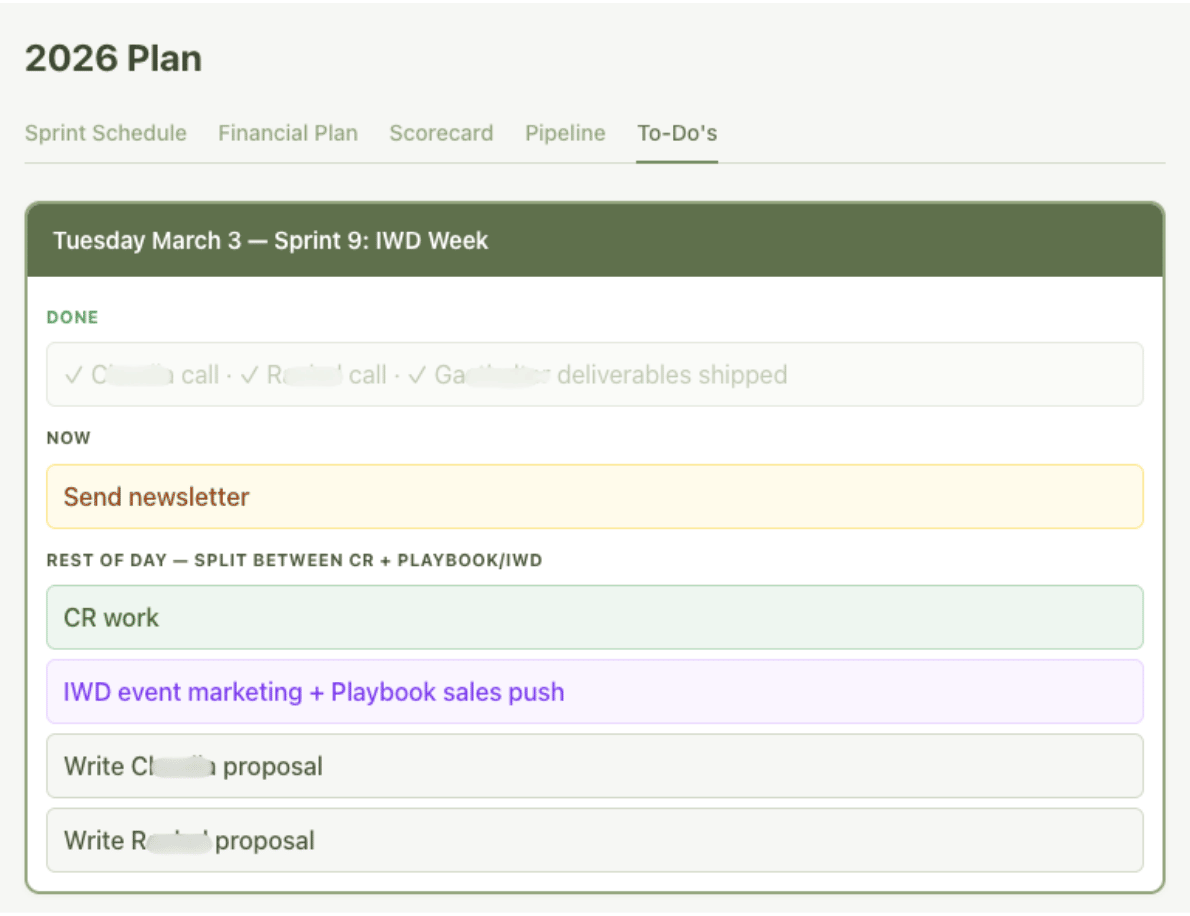
Inside my Business Building project, I have one conversation I use many times a day. I've gotten Claude to build me a visual dashboard with tabs for my financial projections, weekly scorecard, pipeline, sprint plan, and to-do list. Every morning I open it and say "what am I supposed to do today?" or rattle off what's in my head, and we make a plan for the day together.
I build almost every document in Claude now.
Especially slides. Client updates, end-of-project summaries, live event decks, I create them all in Claude. It can export as Google Slides or PowerPoint, but my favorite method is HTML: I open it right in my browser and it works as a scrollable presentation. They look great, and the turnaround is minutes instead of hours.
Skills for instant branding.
Skills are like detailed, repeatable prompts saved inside Claude. I built one called "Watch Me AI Branding" with all of my brand rules. Now anytime I create a document in Claude, which I do constantly, I just say "apply my branding" and get a beautifully formatted version in one step. I've built these for clients too, and I recommend everyone create one for their own brand.
This newsletter was written with Claude Code.
Claude Code is the techie version of Claude, but is actually quite approachable. I have a workflow set up with all of my past newsletters, my voice guide, and a set of rules (has this topic been covered recently, am I repeating formats, that kind of thing). When I sit down to write, Claude already knows the full history and helps me brainstorm, draft, and edit in one place.
It connects to my other tools.
Claude integrates with Granola (my meeting note-taker), my email, my calendar, and Google Drive. I can say "pull together the full story of my project with this client" and it goes into Granola, finds every relevant meeting, and pieces together the whole narrative. No copy-pasting. No switching tabs.
None of this requires technical skills.
How to switch (it takes about 10 minutes)
The biggest barrier people mention is memory. All the context ChatGPT has learned about you over months of conversations. You don't want to start from zero.
Anthropic just solved that.
- Step 1: Open Claude's memory import. Go to your Claude settings (Settings > Capabilities > Memory) and click "Start import." Or look for the "Import memory" card on your Claude home screen and click "Get started."
- Step 2: Export your ChatGPT memory. Claude gives you a prompt to copy. Paste that prompt into ChatGPT, and it will list out everything it knows about you, your preferences, your work context, your recurring tasks, in one block of text.
- Step 3: Paste it into Claude. Copy that output, paste it into Claude's import box, and click "Add to memory." That's it. Your context comes with you. No file exports, no technical steps. Copy, paste, done.
A few notes: this feature is still experimental, so Claude may not pick up every detail. It also focuses on work-related context, so very personal memories may not carry over. But for most people, it covers the important stuff.
A few more ways to ramp up:
- Set up a Project. Create a Project in Claude and upload the documents you reference most, brand guidelines, your offer details, writing samples, whatever you use regularly. This gives Claude persistent context that goes way beyond what memory alone can do.
- Use it for real work for one week. Make yourself use Claude as your default for five straight days. Try creating presentations, build a brand skill, ask it what else it can do for you. I'm positive you'll see the difference.